Master's Thesis · FIS VŠE · 2025
VŠE Library Catalog Design System
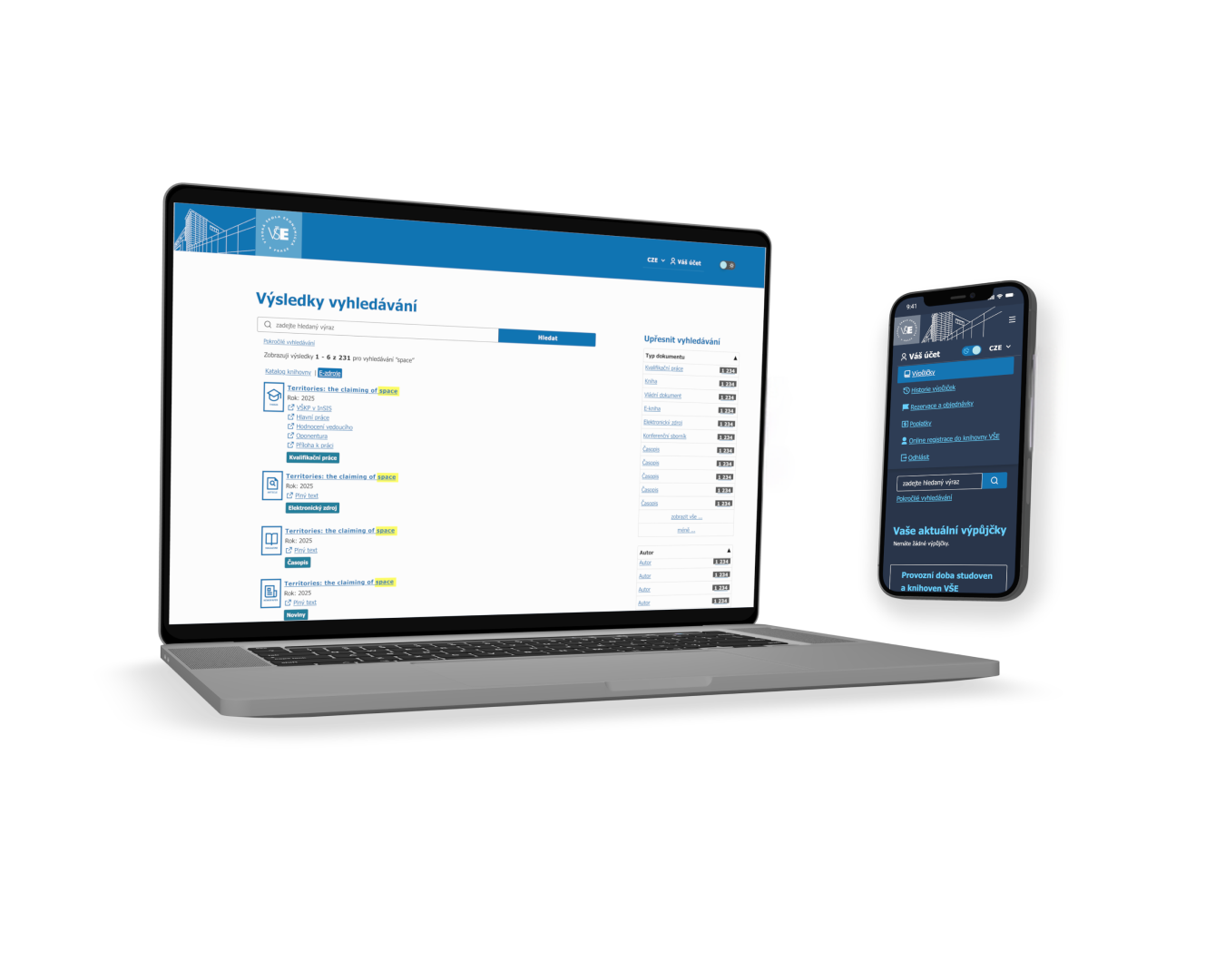
A research-driven redesign of the public catalog (OPAC) for the VŠE Prague library — auditing a design-system-less interface running on a decades-old library system, interviewing real users, and building an accessible, WCAG-compliant design system with a working prototype.
Role
UX Research & UI Design
Tools
Figma, WCAG Contrast Checker, Semi-structured interviews
Context
VŠE's online library catalog runs on Aleph, a library system built in the 1980s and still widely used by academic libraries, including Masaryk University's. Its public interface (OPAC) had never gone through a real design process — only repeated "recoloring" of the vendor's default layout, with no accessibility review and no documented design system. The library confirmed it had never run user research on the catalog either. The brief: audit the current state end-to-end, talk to real users, and design a documented, accessible design system with a working prototype — grounded in evidence, not assumptions.
Challenges
- Locked to Aleph's server-rendered OPAC — only CSS/HTML-level changes were possible, not a rebuild of the underlying system.
- No existing design system to build on — the current state had to be reverse-engineered from screenshots and CSS before any redesign could start.
- Zero prior user research — the library had never tested the catalog with real students.
- A solo, one-semester scope — six interviews and benchmark catalogs had to carry the entire evidence base.
Process
01
Audit
Every screen & state screenshotted
Rebuilt in Figma from CSS
02
Research
6 semi-structured interviews
VŠE students, 45–60 min each
03
Benchmark
Compared to MUNI & TUL catalogs
Same backend, different UX choices
04
Design System
Typography, color, icons, components
Rebuilt to pass WCAG AA
05
Prototype
Desktop & mobile
Including a working dark mode
Key Findings
What the audit and six interviews turned up
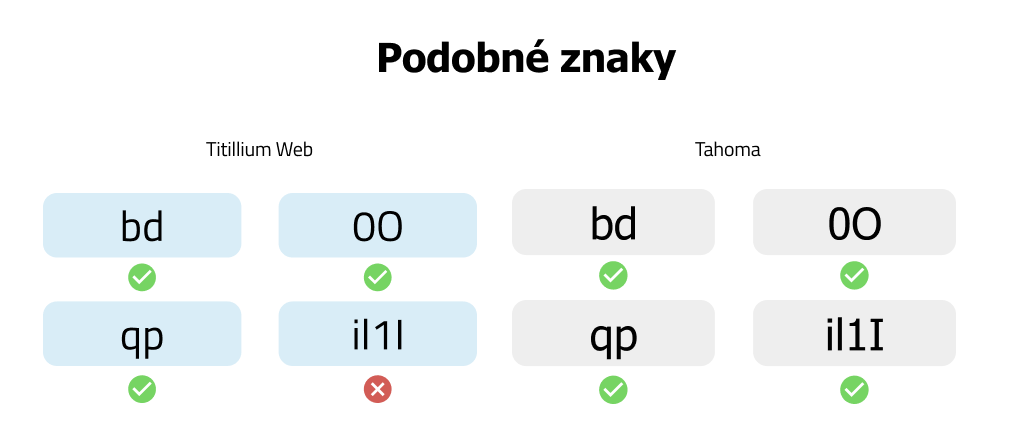
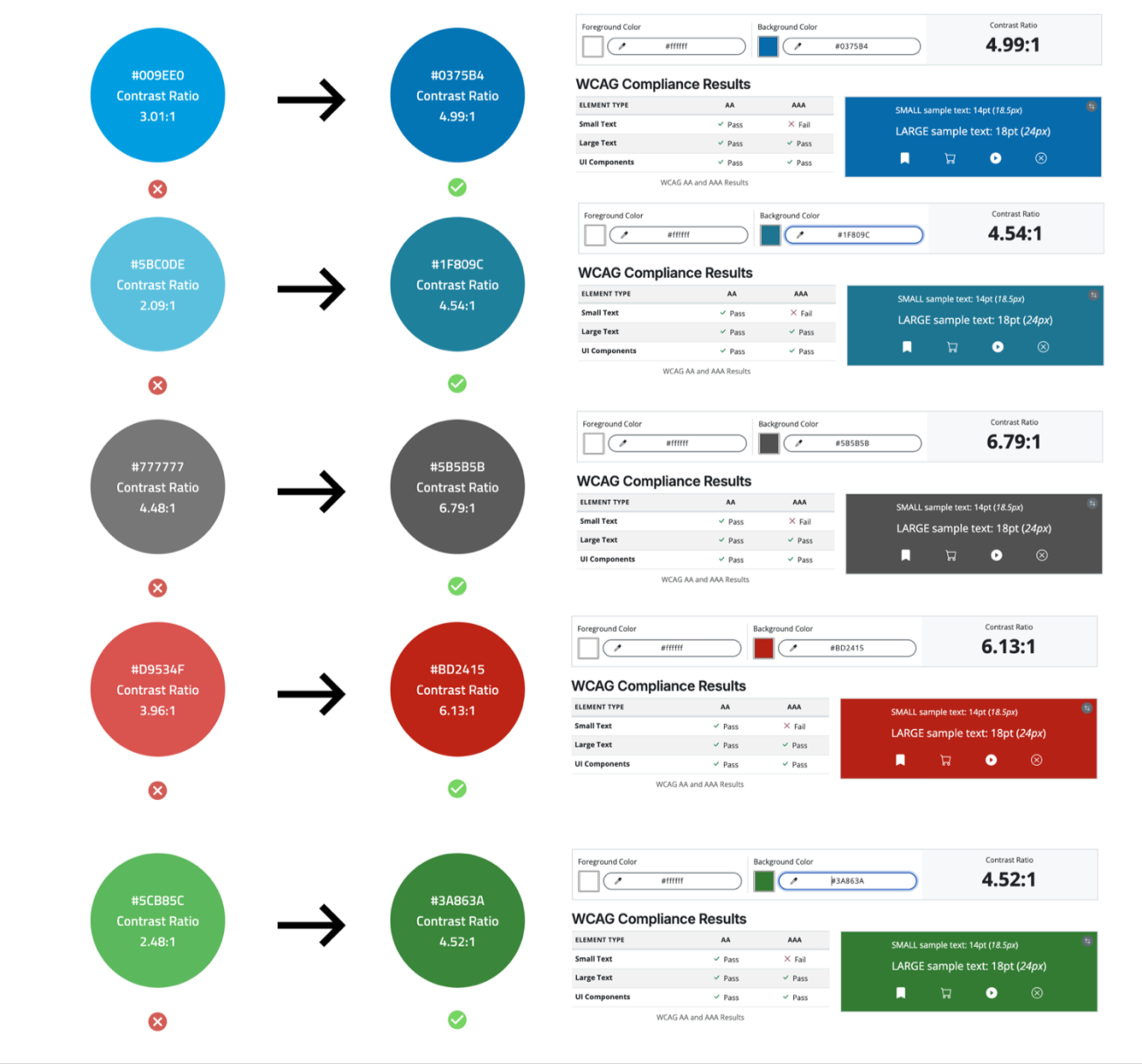
Since no design system existed, the first job was to build one for the current state — every screen, on desktop and mobile, screenshotted, and every color, spacing value, and font rule pulled straight from the site's HTML/CSS into a real, inspectable inventory. That inventory made the problems measurable: five color pairs used across labels and links failed WCAG AA contrast, the bold badge text style shrank to 13.5pt, and the same search input appeared with different corner radii on four different pages.
Six semi-structured interviews (45–60 minutes, split between video calls and in-person) with VŠE students from three faculties, ages 23–26, aimed to understand how people actually search the catalog, where they get stuck, and what they'd change.
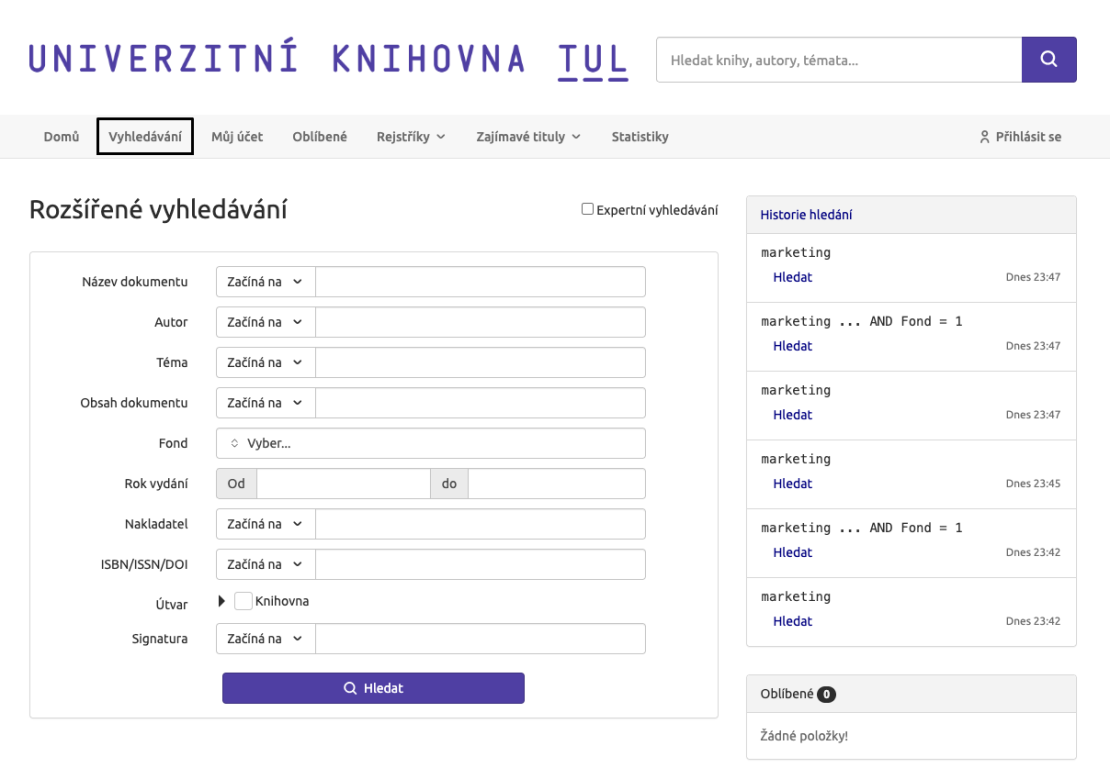
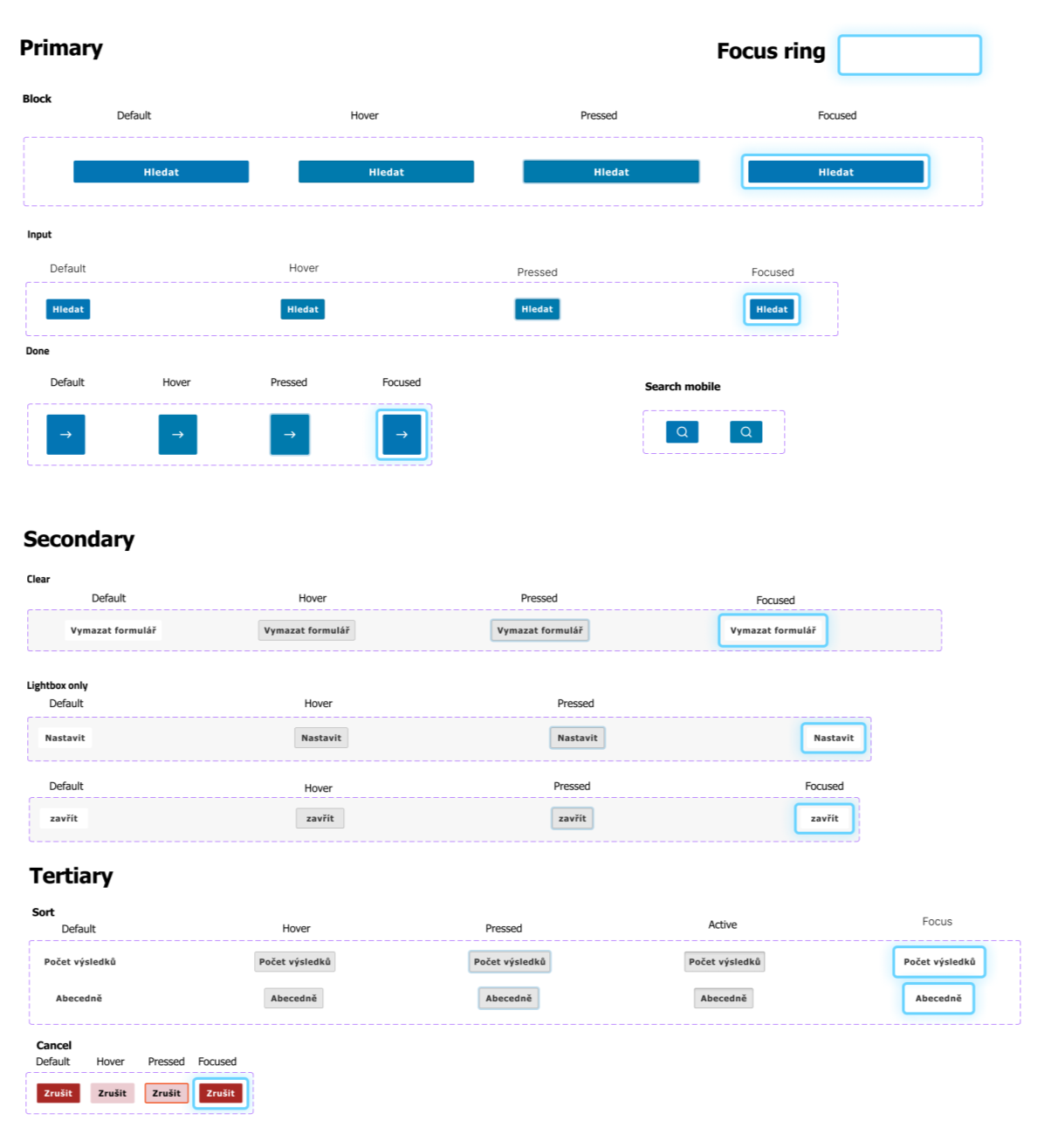
Benchmarked against Masaryk University's catalog (same Aleph backend) and the Technical University of Liberec's (a different system, Verbis): TUL had clearly distinguishable focus states that both VŠE and MUNI lacked entirely, while VŠE had clearer document-type labels than TUL. All three shared the exact same flaw — mobile filters buried at the bottom of the results page.
5
color pairs failing WCAG AA
13.5pt
smallest bold badge text found
100–160%
inconsistent line-heights in use
- Search relevance was the no. 1 complaint — needed titles buried under less relevant results.
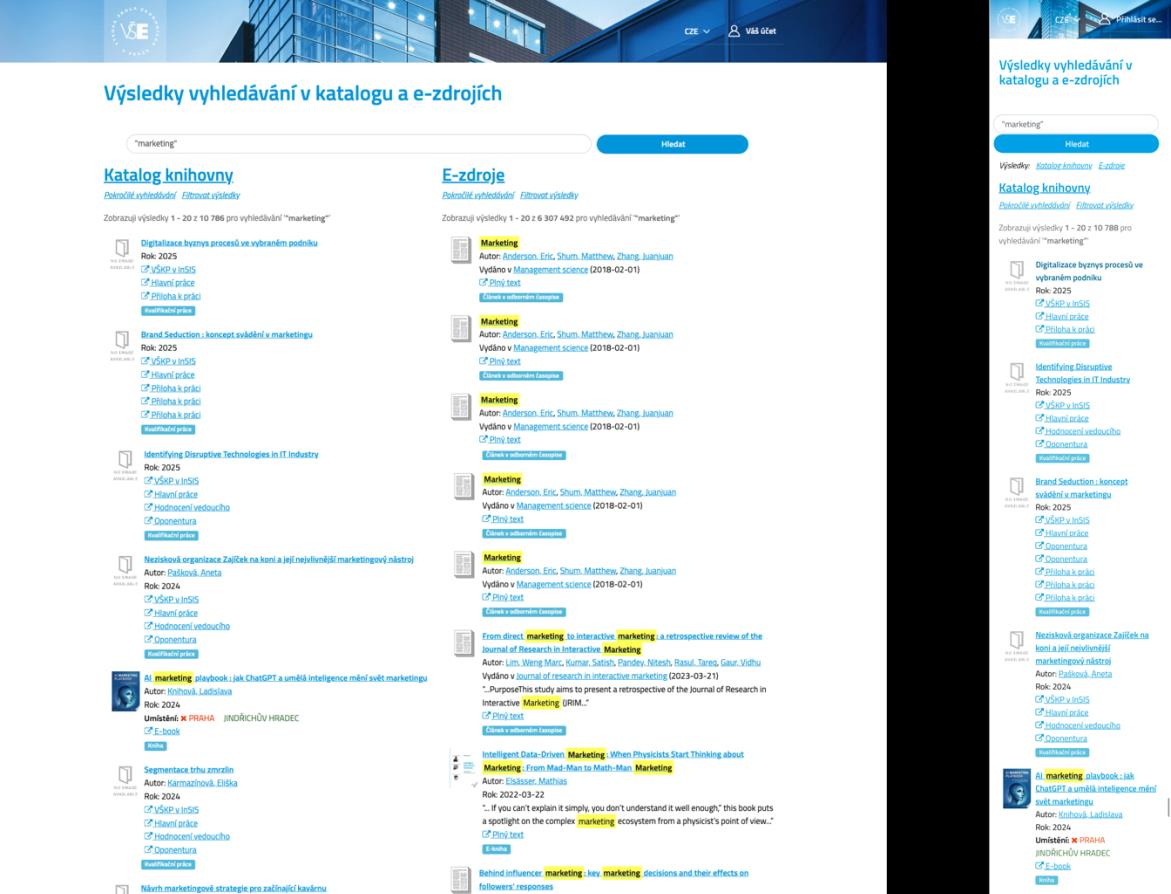
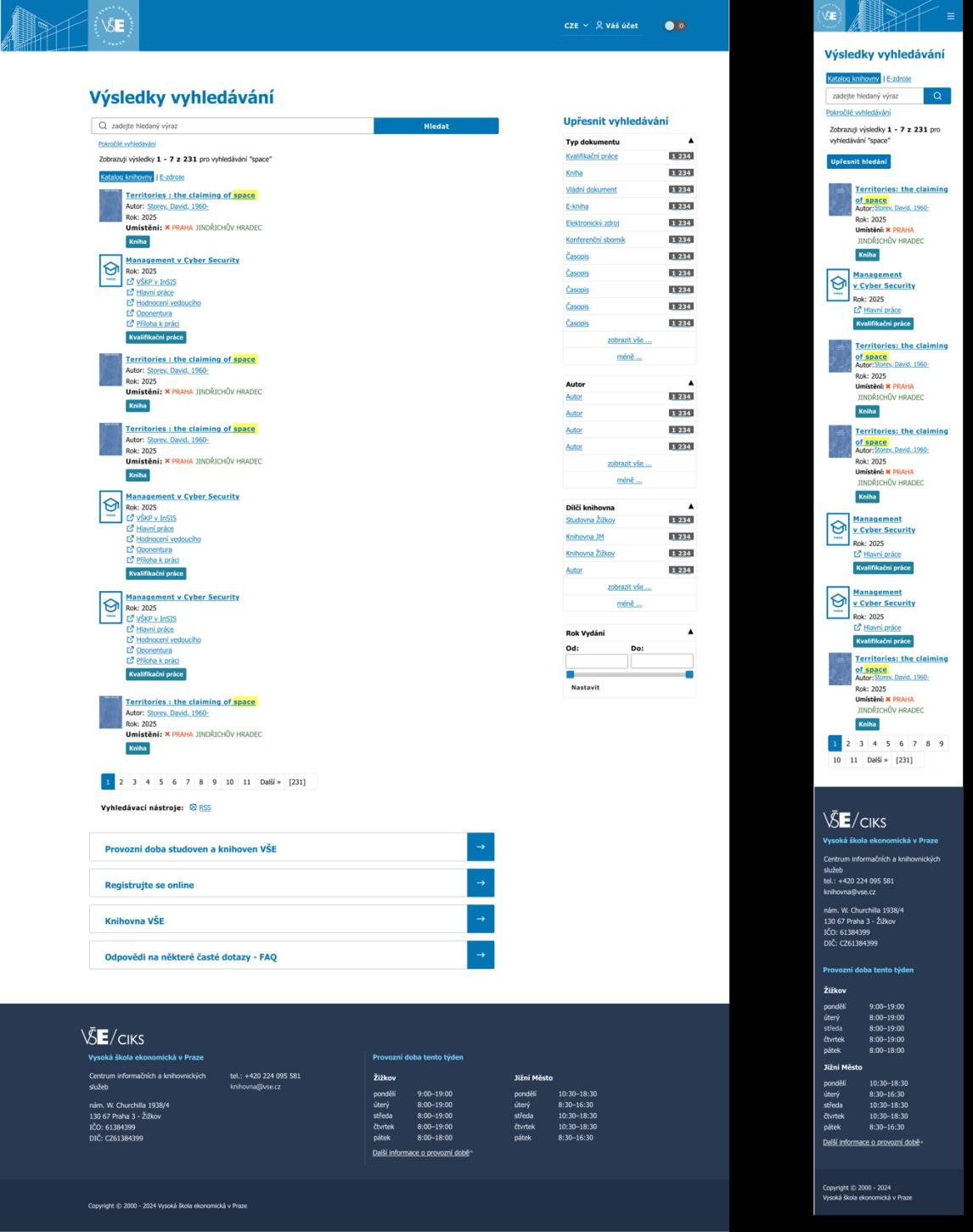
- Mobile filtering lived at the very bottom of the results page, forcing a full scroll before it was even usable.
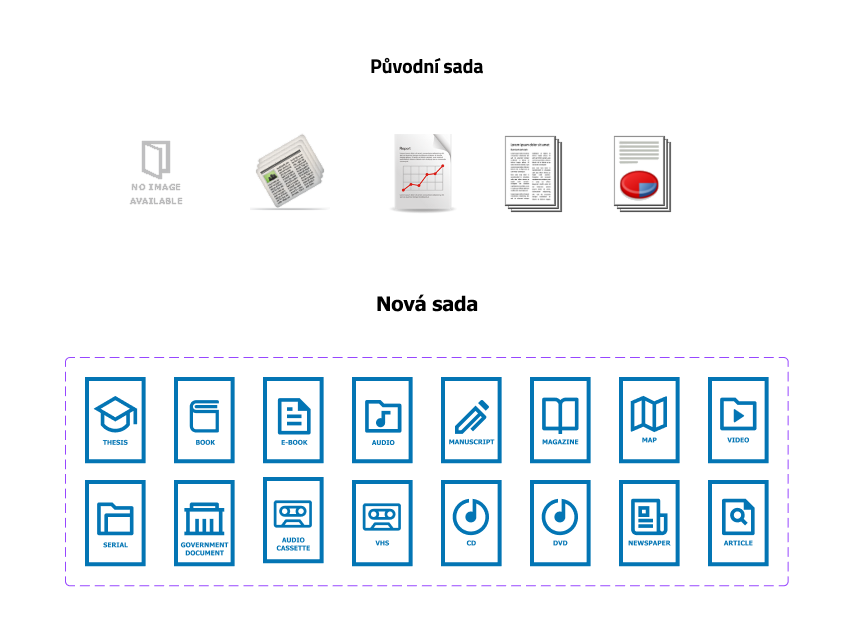
- The "No image available" placeholder read as a broken system, not a normal empty state.
- Dark mode came up unprompted as a recurring request.
"Mobile is limited by the small screen — filtering and displaying found titles there is confusing."
— Respondent 1
"It didn't find what I needed, even though I typed in almost the entire title of the textbook."
— Respondent 2
"The "No image available" icon doesn't feel good to me. At first glance it looks like an error, and I feel uneasy about it."
— Respondent 3
Design System
Every layer, measured and rebuilt
With the problems documented, every layer of the interface got the same treatment: choose an accessible foundation, fix what fails WCAG, and document it so it stays consistent.
Header: photo → illustration
Before
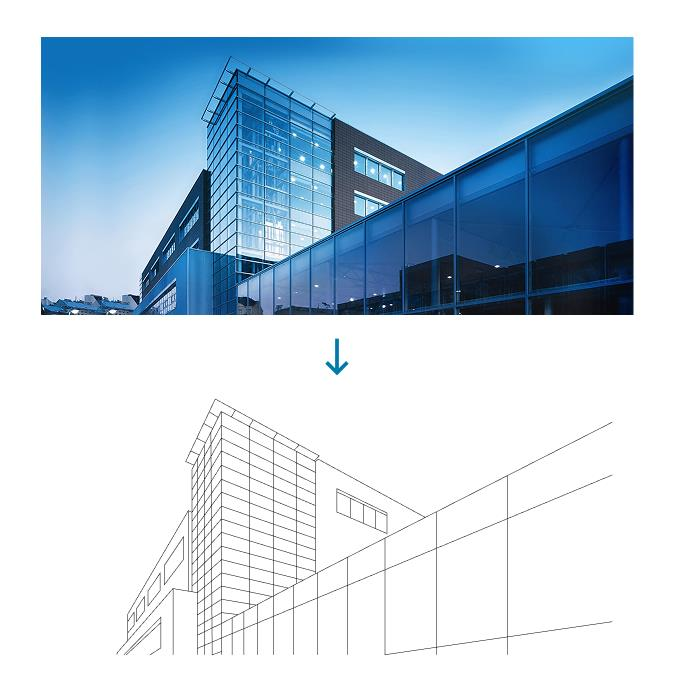
After

Prototype
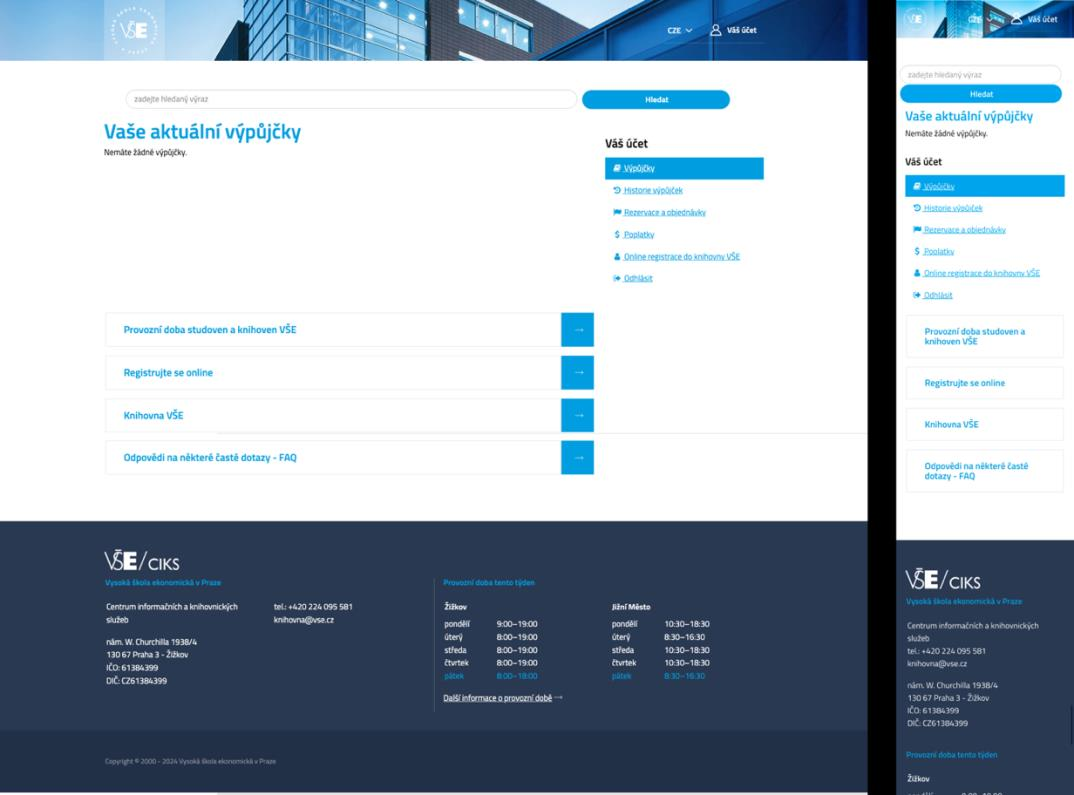
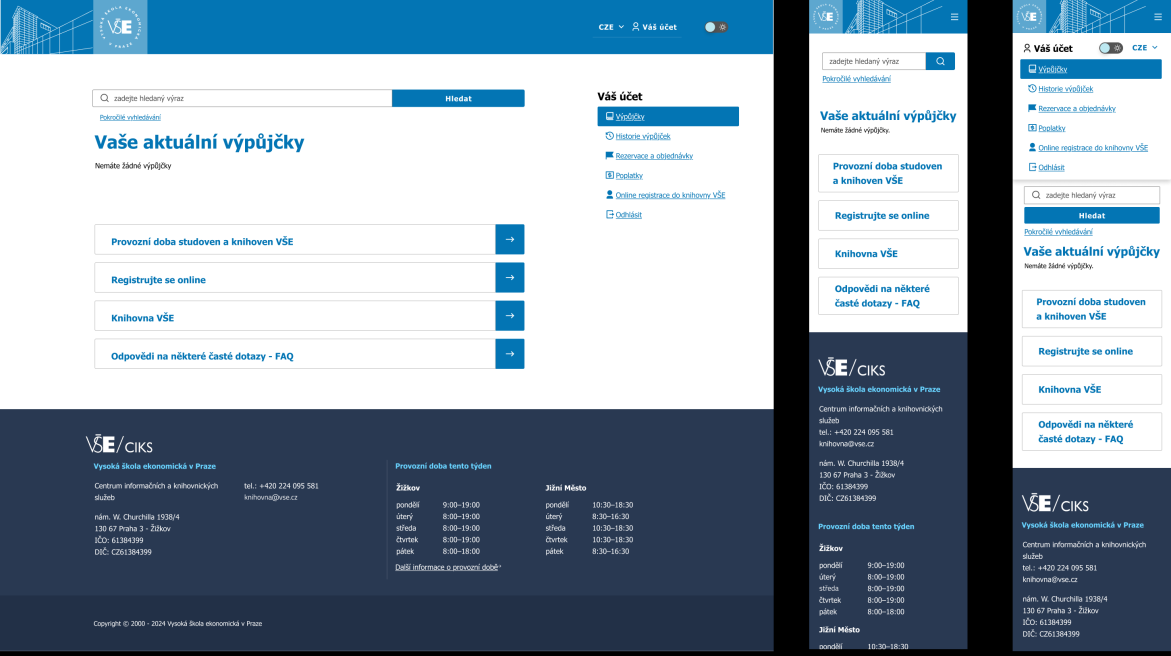
Before / after, screen by screen
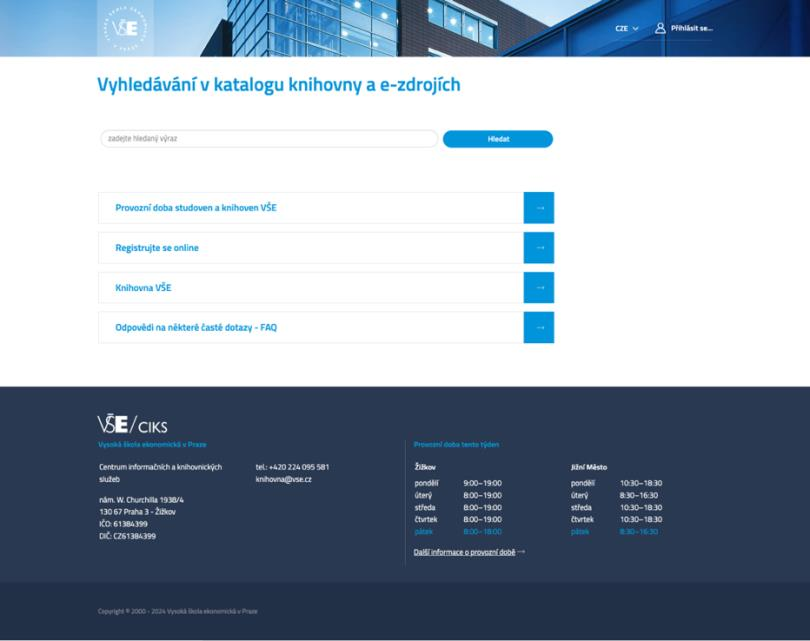
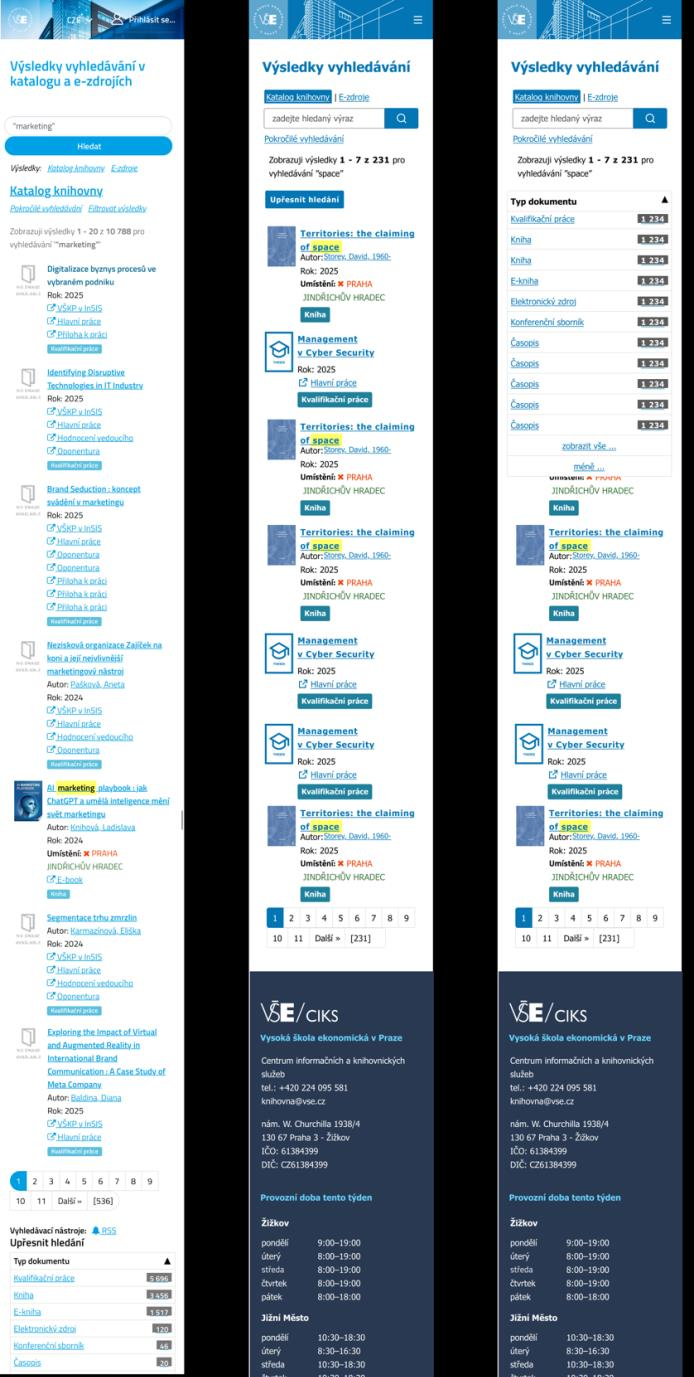
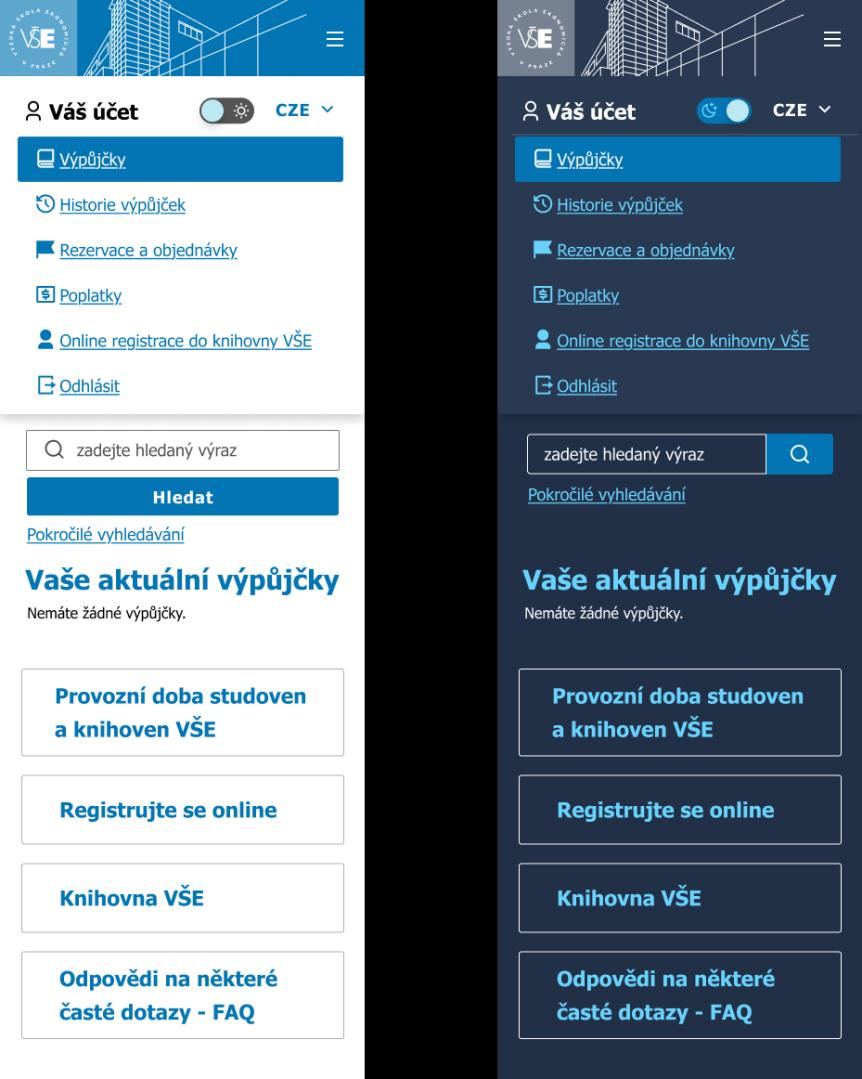
The design system applied to a full desktop and mobile prototype, targeting the exact pain points from the interviews.
Homepage
Before
After
Search results
Before
After
Outcomes & what's next
The project turned an undocumented, inconsistently styled interface into a documented design system with measurable accessibility gains — every previously failing color pair now clears WCAG AA — grounded in six real user interviews rather than assumptions. It's framed as a starting point, and I've offered to continue working with VŠE's library on implementation if there's interest.